
CAPMAC / CARI-Loops
CARI-Loops · Control loop and valve healthKnow which loops and valves need you first.
CARI-Loops reads the trend history your control system already keeps and gives your team one list, ranked for review: frozen measurements, suspected valve sticking, valve play, outputs at their limits, swinging loops and loops left in manual. Assessed findings come with a likely cause, a next check and how sure.
- Ranked for review, with the next check
- How sure, for assessed findings
- No DCS connection, no internet
- Read-only
Watch the film
3 min, with captions. Sound on for the narration.

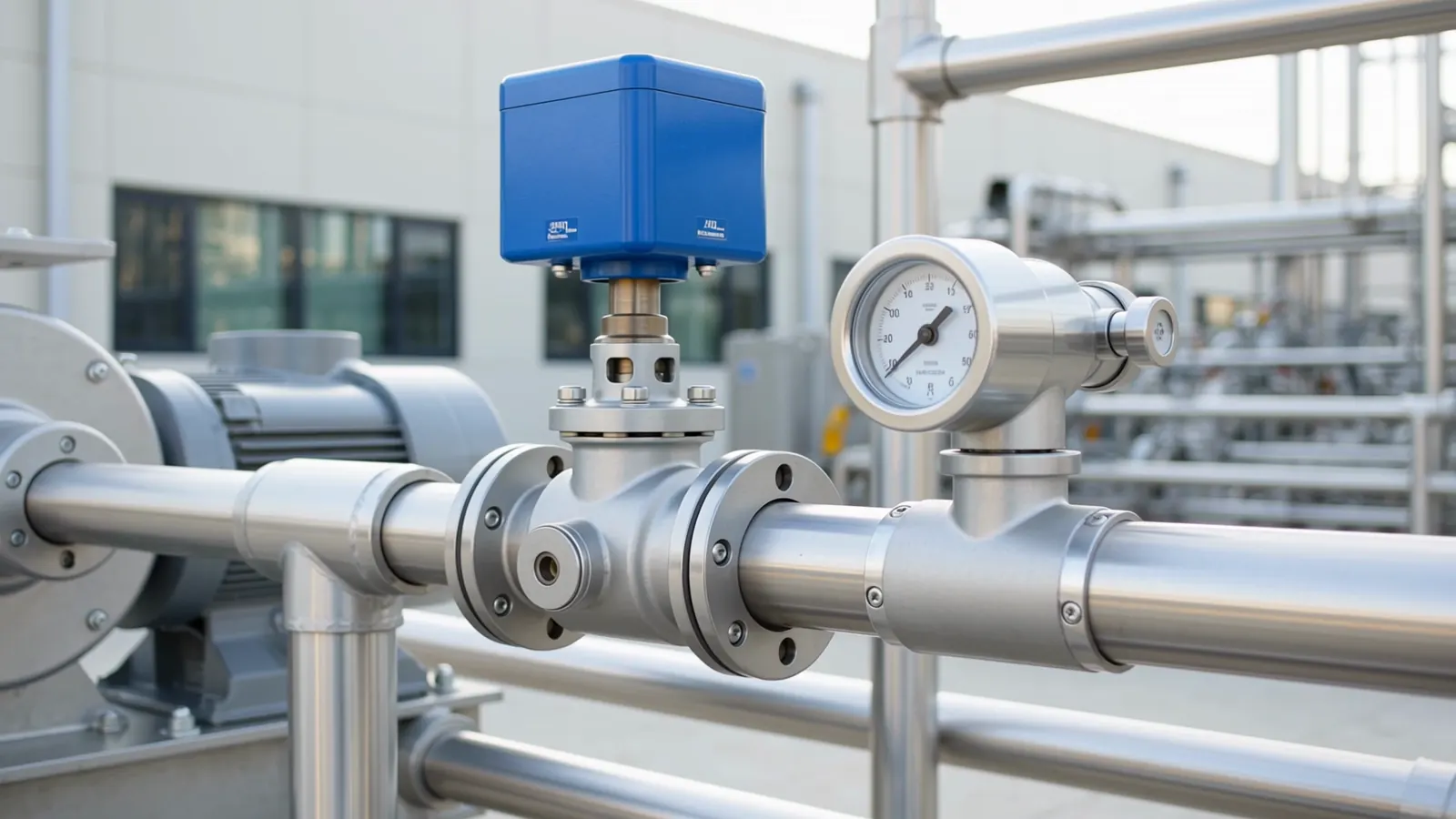
The right work first.
A plant has hundreds of control loops. CARI-Loops turns the trend records you already keep into a practical review list, with the next check beside each finding. Add your own cost rates for a second view of the recorded error, and use plant criticality to set the work order.
Works from CSV or Excel trend exports of your DCS, PLC, SCADA or historian. No DCS connection, no OT network or firewall change, no new sensors, no shutdown: trend review is read-only.
Tested on our own test plants built to industry practice.
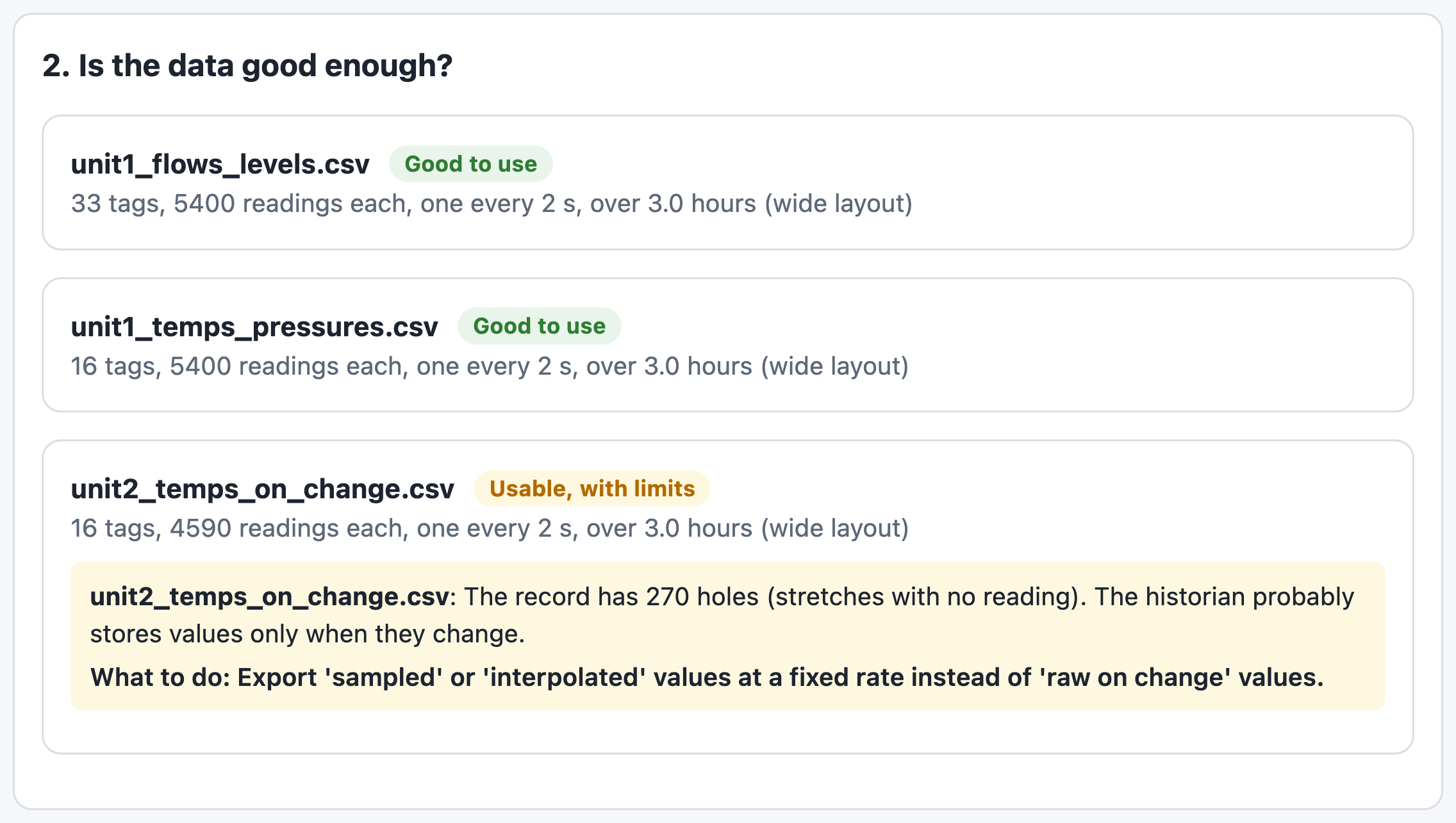
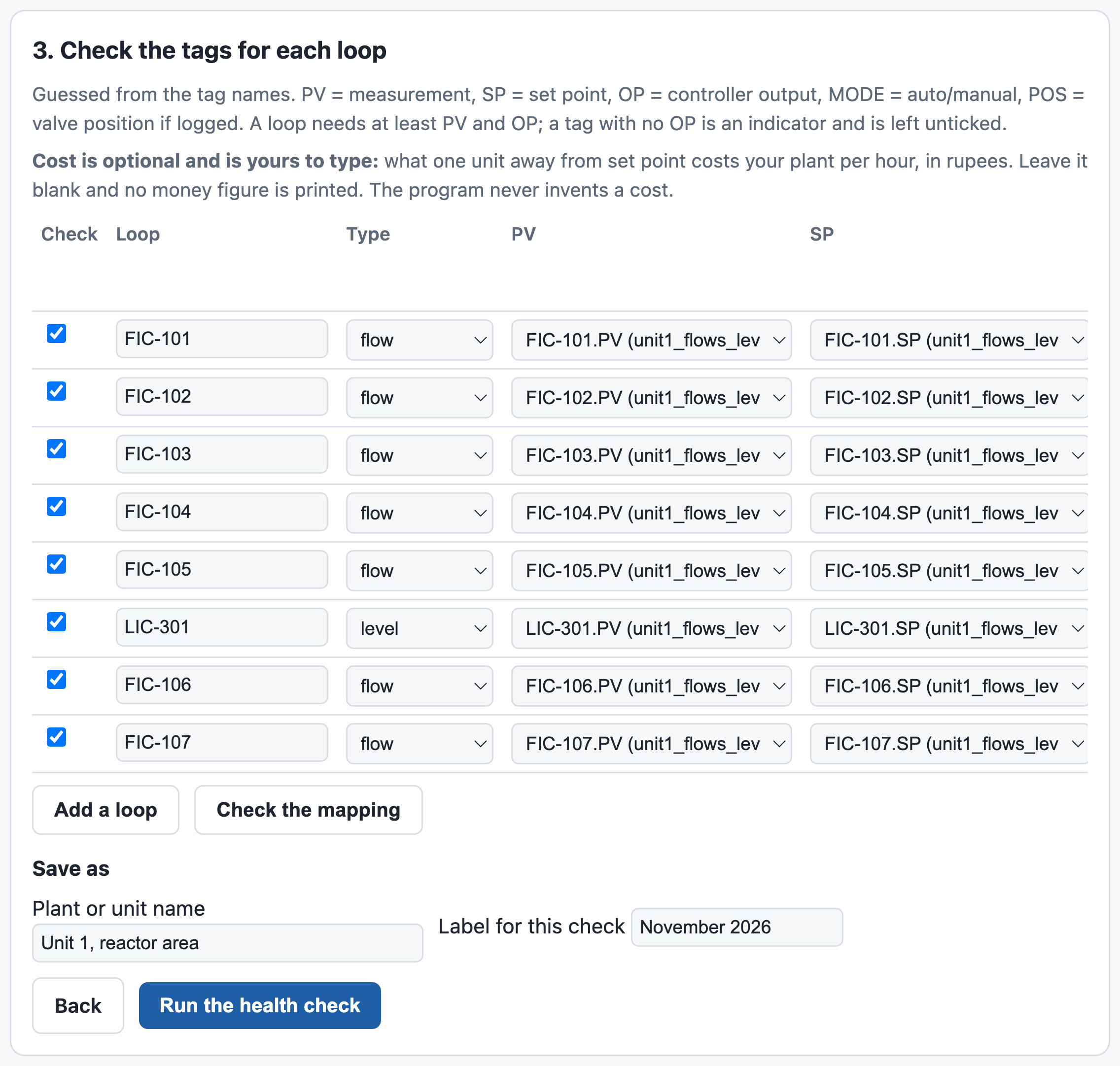
Every file graded. Your tags confirmed.
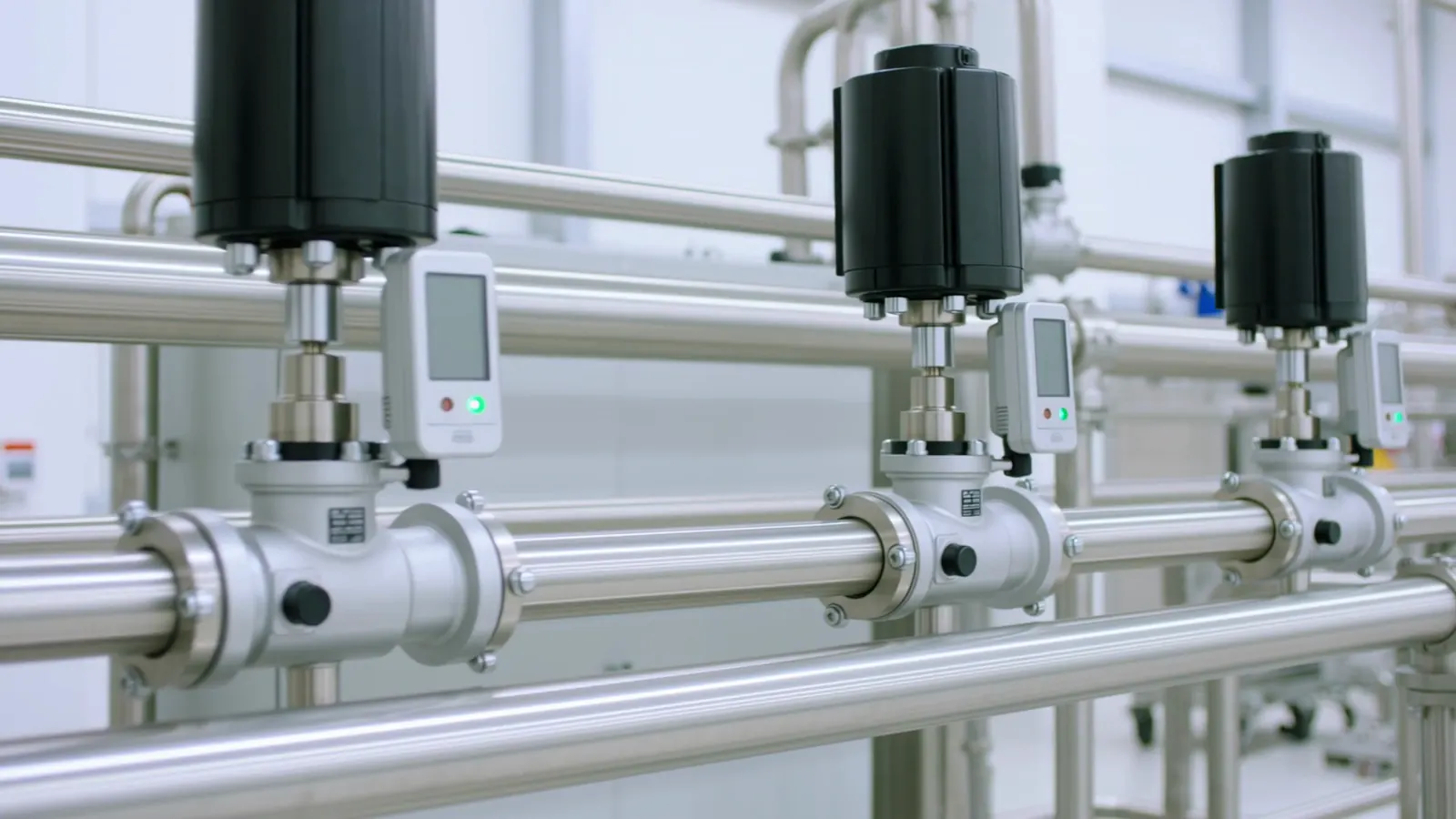
Exports are graded the moment they are read, with the export setting that fixes a poor one. Loops are found from your own tag names, and your engineer confirms them before anything is judged.
Every finding, and its next check.
Finding names are the app's own. A second finding on the same loop is printed under “Also seen”. The checks help your team confirm the cause and choose the work.
| Finding on the report | What it means | What your team checks |
|---|---|---|
| Instrument frozen | A measurement that stayed unchanged for a long stretch | The transmitter and its wiring, against a local gauge. |
| Sticking valve suspected | A swing in the pattern a sticking valve makes | A small-step test agreed with operations, then the valve inspection. |
| Valve dead band | Valve position that waits before it follows small changes of output (where position is logged) | Linkage, positioner and actuator for friction or play; positioner calibration. |
| Output saturated | A controller output held at its limit, with no further output movement available in that direction | Operating limits, valve or pump response and duty, before any retune. |
| Swings with others | Loops that swing at the same rhythm as others | Reviewed as one job: a common cause looked for first. |
| Loop swinging | A loop that swings up and down in a regular rhythm | The loop in manual, then valve response, before a retune; upstream if the swing continues. |
| Left in manual | A loop logged in manual for much of the record | Why it was in manual, and whether to return it to automatic. |
| Export again | A loop whose export cannot show enough | How to export it again: rate, compression, missing signal or a fresh record. |
| No problem found | The checks this export supports found no problem in the record | No action; keep it in next month's check. |
For a loop whose own settings are the cause, CARI-Tune gives new settings to try.
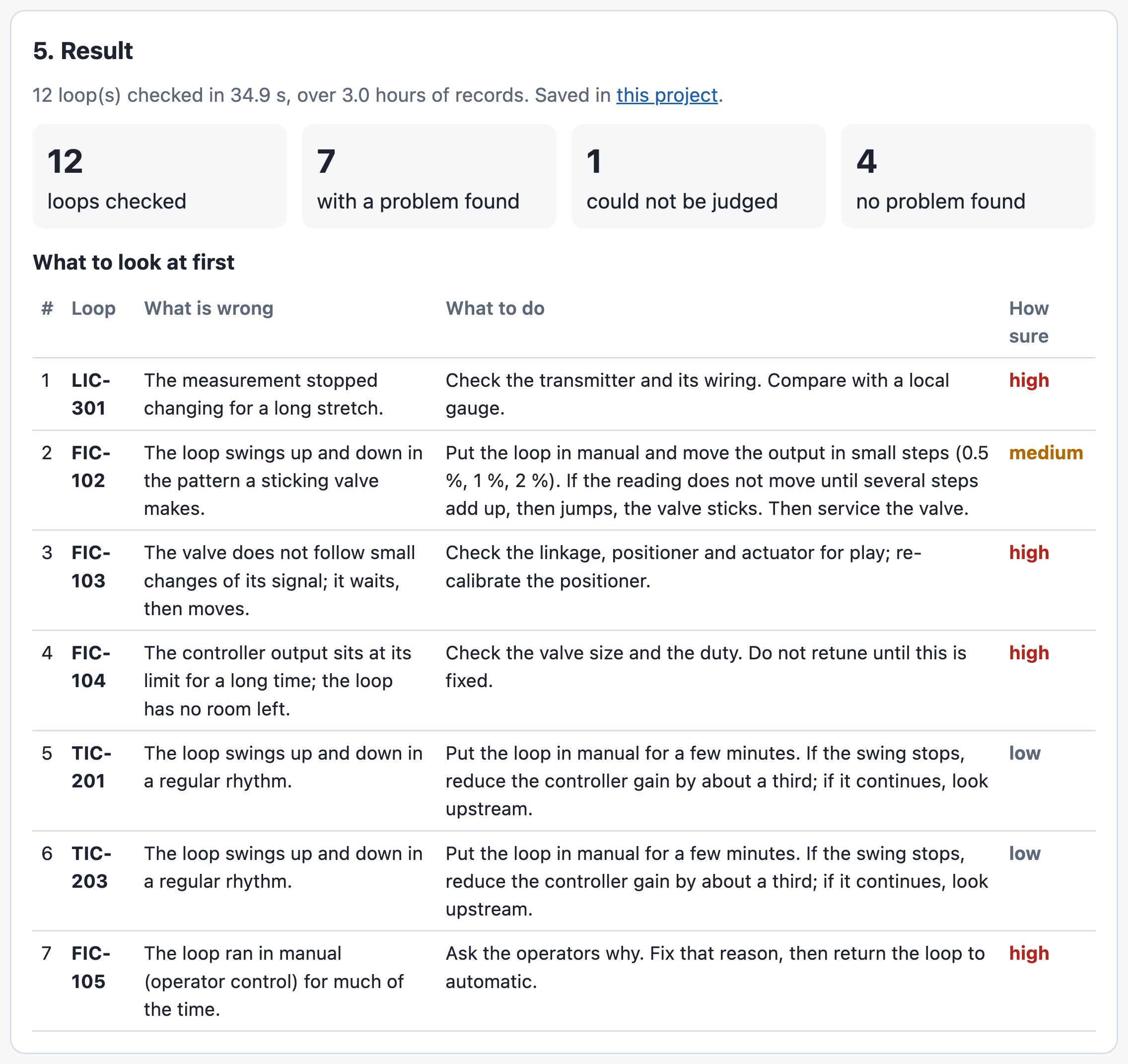
One unit, three hours, twelve loops.
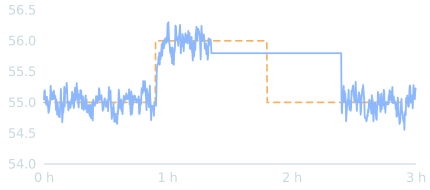
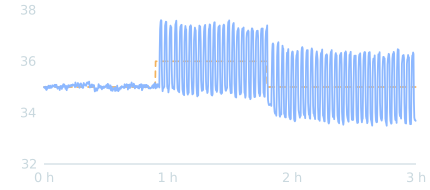
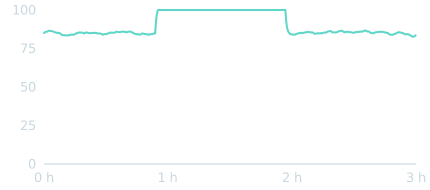
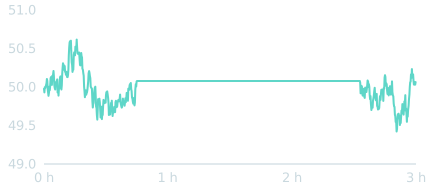
The example that comes with the app: one unit of our own test plant, exported as two ordinary trend files with vendor-style tags, one row every 2 seconds.
LIC-301 Instrument frozen
level, %
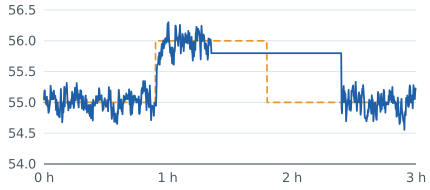
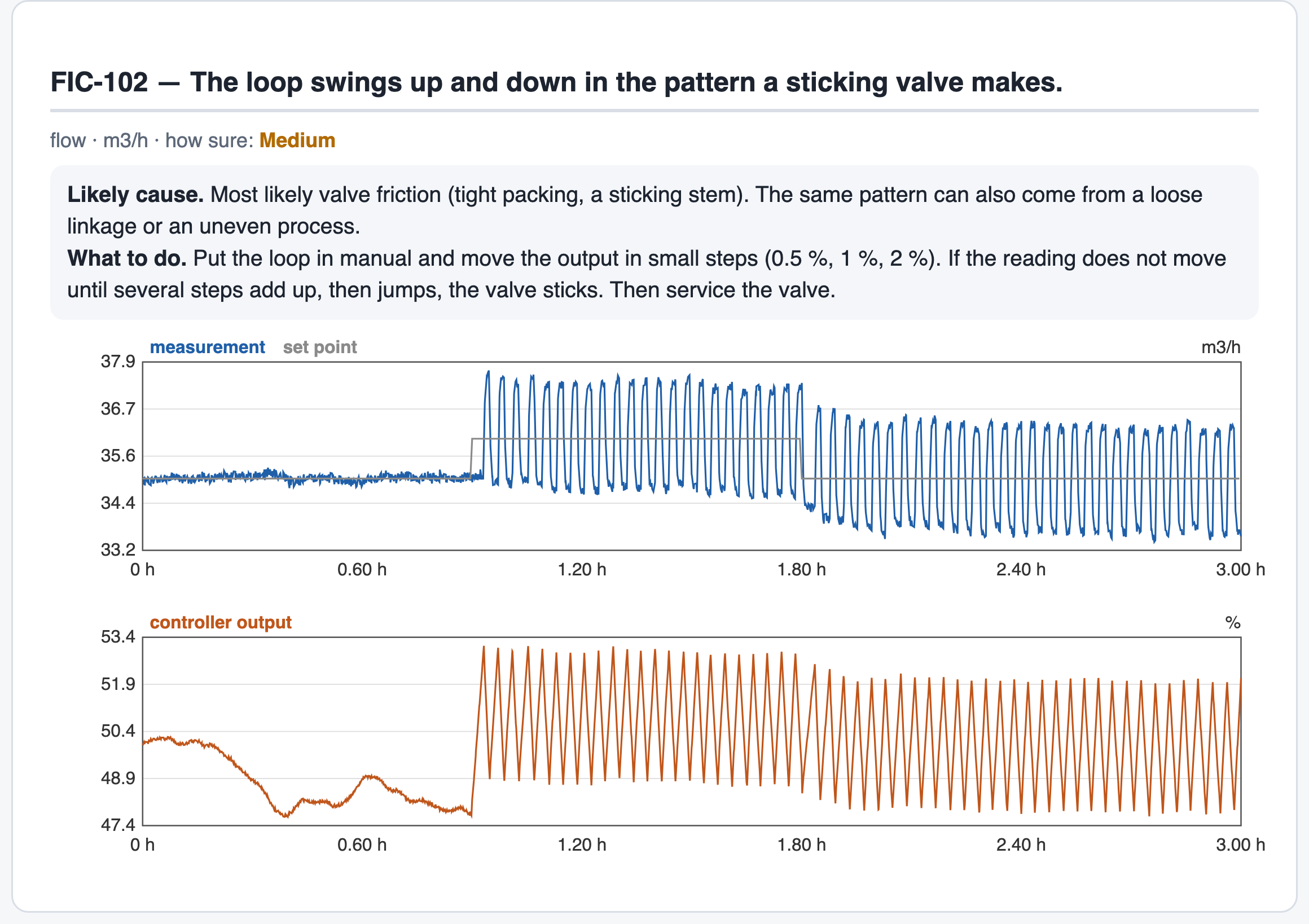
FIC-102 Sticking valve suspected
flow, m³/h
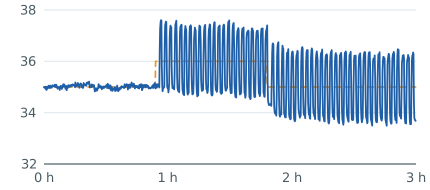
FIC-104 Output saturated
controller output, %
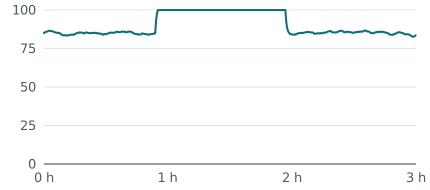
FIC-105 Left in manual
controller output, %
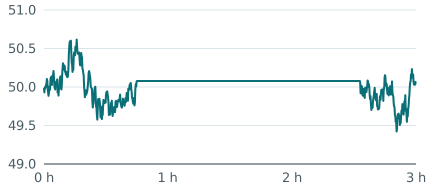
FIC-103 Valve dead band
controller output and valve position, %
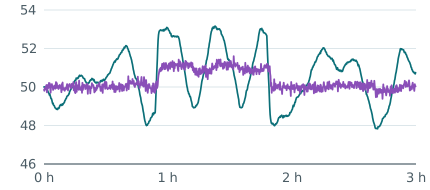
TIC-201 Loop swinging
temperature, °C
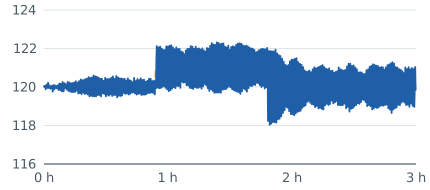
TIC-203 Loop swinging
temperature, °C
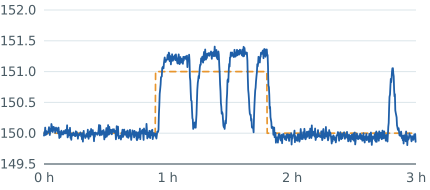
PIC-401 Export again
pressure, bar
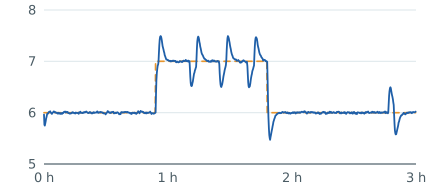
The unit, ranked for review.
| # | Loop | Finding | Likely cause | Next check | How sure |
|---|---|---|---|---|---|
| 1 | LIC-301 level | Instrument frozen | Most likely a stuck or failed transmitter, or a broken signal wire. The controller was acting on a frozen number. | Check the transmitter and its wiring. Compare with a local gauge. | High |
| 2 | FIC-102 flow | Sticking valve suspected | Valve friction or linkage play may explain the pattern. A small-step test checks the valve response. | Agree a small-step test with operations. Check valve position, or the flow or pressure response, for delayed movement and jumps; use the result to plan the valve inspection. | Medium |
| 3 | FIC-103 flow | Valve dead band | The position record shows delayed valve response. Friction, mechanical play or positioner behaviour may explain it. | Check the linkage, positioner and actuator for friction or play; check positioner calibration and correct it as needed. | High |
| 4 | FIC-104 flow | Output saturated | Demand, operating limits, or a valve or pump not delivering the required response, may be holding the output at its limit. | Check operating limits, valve or pump response and duty before deciding whether to retune. | High |
| 5 | TIC-201 temperature | Loop swinging | Controller settings, valve sticking or an upstream disturbance; a manual observation and a valve check help separate them. | With operations, observe the loop in manual. If the swing stops, check valve response before retuning (CARI-Tune gives the settings); if it continues, investigate upstream. | Low |
| 6 | TIC-203 temperature | Loop swinging | Controller settings, valve sticking or an upstream disturbance; a manual observation and a valve check help separate them. | With operations, observe the loop in manual. If the swing stops, check valve response before retuning (CARI-Tune gives the settings); if it continues, investigate upstream. | Low |
| 7 | FIC-105 flow | Left in manual | The loop ran in manual for much of the record. Ask the operators whether this was intended and what prompted it. | Confirm why it was in manual. Resolve any fault, then agree with operations whether to return it to automatic. | High |
| 8 | PIC-401 pressure | Export again | The historian stored too few or too coarse values (compression, rounding, gaps), or a needed signal is missing. | Follow the named export correction: use a suitable recording rate and uncompressed history, add a missing signal, or record a fresh stretch where detail has been lost. | — |
| 9–12 | FIC-106, TIC-202, FIC-107, FIC-101 | No problem found | The checks this export supports found no problem. | No action. Keep it in next month's check. | Medium |
The frozen measurement comes first, then the suspected sticking valve, valve dead band, the output at its limit, swinging loops and the loop in manual; loops with no problem found close the list. On a swinging loop the record shows the swing; its cause is settled by the on-site checks. Your team sets the work order with plant criticality in mind.
Every finding shows its own record.
Each loop with a finding gets its own section: likely cause, what to do, and its trends over the record. Print it or save it as PDF; take the findings as CSV.
Next month, loop by loop
| Loop | Earlier | Later | Change |
|---|---|---|---|
| FIC-102 | Sticking valve suspected | Sticking valve suspected | still there |
| PIC-401 | Export again | Loop swinging | judged now: problem found |
| FIC-101 | No problem found | No problem found | still fine |
Ranked by error at your cost rates
| # | Loop | Finding | Error over the record |
|---|---|---|---|
| 1 | TIC-201 | Loop swinging | Rs 2,706 |
| 2 | TIC-203 | Loop swinging | Rs 714 |
| 3 | FIC-102 | Sticking valve suspected | Rs 468 |
Values assigned to the error over the three-hour record, using example rates per loop: Rs 200 per m³/h away from set point per hour for flow, and Rs 1,500 per °C away from set point per hour for temperature.
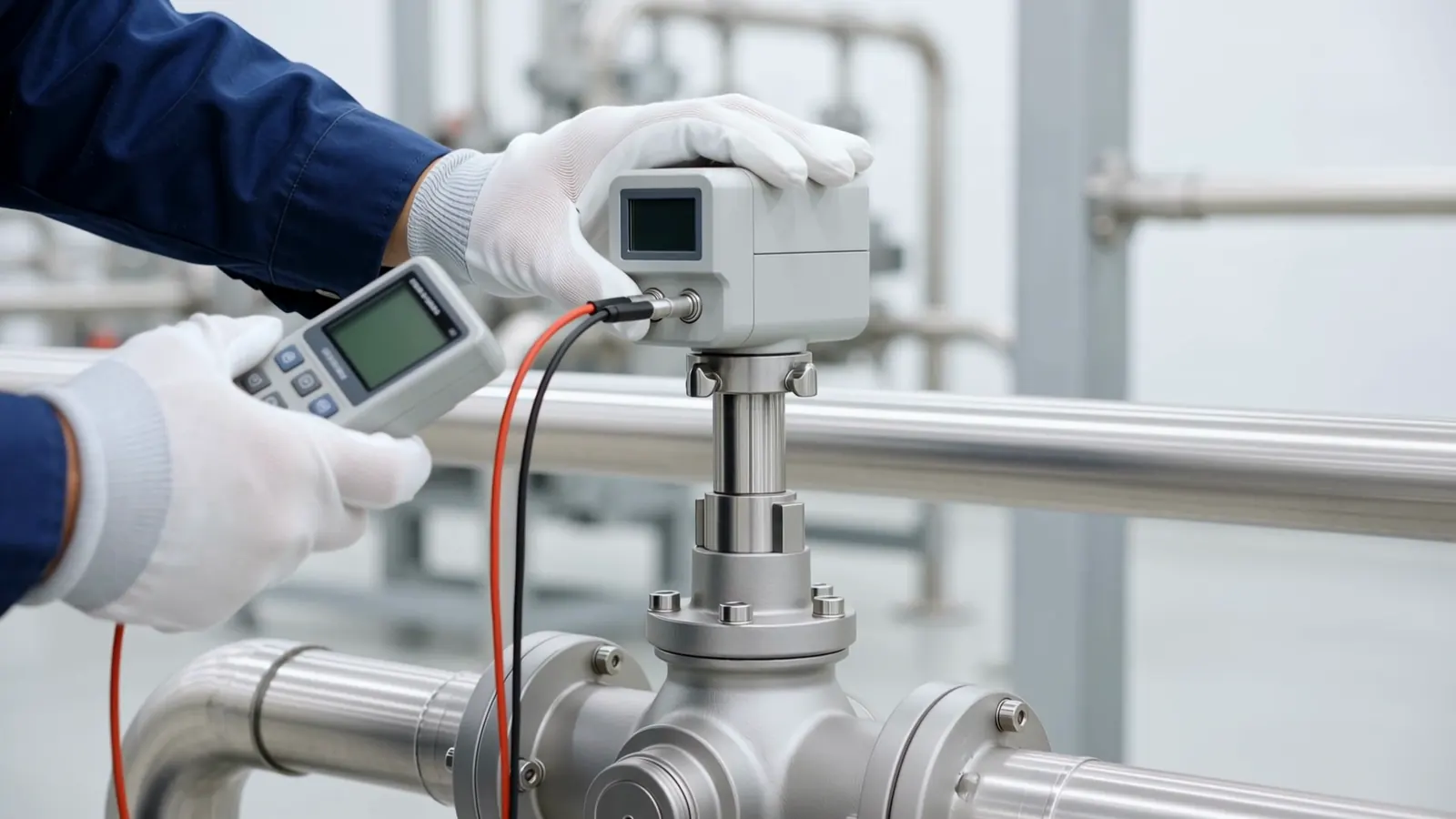
Check the valve. Then plan its repair.
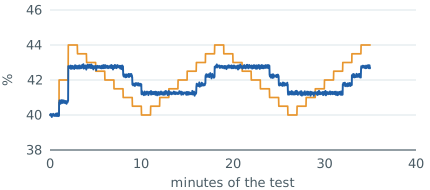
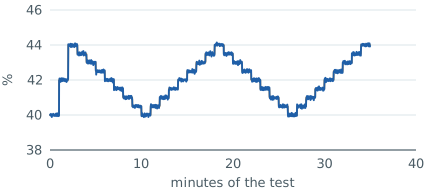
The app plans a small-step test for your engineer to check a suspect valve, about half an hour in the example. Your own team runs it under your plant procedures; the app reads the exported response and sizes dead band as a share of the output signal.
Sticking valve
dead band 2.5 % of output
Sound valve
followed small moves
Another valve, followed to your limit
stroke tests every two months, dead band as % of travel
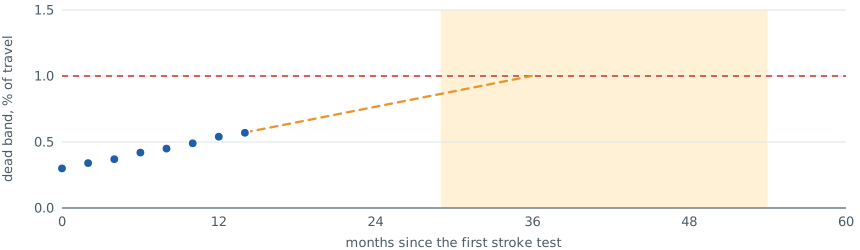
About 22 months to the limit, with a range of 15 to 40 months, from the example stroke-test history: a basis for planning the repair into a shutdown, updated as each new test arrives.
On your own PC. With your own team.
Where it runs
On your own PC, opened in a web browser. It listens on that PC alone and needs no internet. It only reads exported files: it writes nothing to your control system and sends no data elsewhere.
Your system, your tags
Works from CSV or Excel exports of your DCS, PLC, SCADA or historian, one file or several, so it needs no direct connection. The app lists the loops it sees from your tag names, and you confirm.
Set up with you
CARIMO sets up the app with your team, maps the first unit's tags, goes through the first report with your engineers and agrees the monthly routine.
CARI-Loops finds the trouble. CARI-Tune is CARI-Loops plus tuning.
Take it to your team.
Two-page summary
The worked example's ranked answer and how it works. PDF · 293 KB
OpenBrochure
Twelve pages: data check, tags, findings, the worked example, the report and valve health. PDF · 1.4 MB
OpenTechnical annex
Part by part, for your engineers: the export, every finding, the valve test, the worked example in full. PDF · 872 KB
OpenSend one export. Get one ranked list.
Start with a guided first unit, on a call on your own PC or from an export you send. Then CARI-Loops runs on your own PC.