
CAPMAC / CARI-Tune
CARI-Tune · Loop tuning for process plantsSettings your loops can trust.
Find the controllers whose settings are too aggressive. The valve is checked first. Then your engineer gets three new settings for each loop: slow, normal and fast, each with its safety margin, pictures of the predicted response, and a sheet in your controller block's own words.
CARI-Tune includes everything in CARI-Loops, the health check of every loop and valve, and adds the tuning.
- Valve first, always
- Three settings, each with its margin
- Ten settings-sheet styles
- Proposer and approver on every change
Watch the film
3 min 8 s, with captions. Sound on for the narration.
From the swing to the signed change.
Choose the balance each loop needs: a calmer answer to set-point moves, a firmer hold against load changes, and a stated safety margin. CARI-Tune gives your team one clear path from the loop that swings to the change that is approved, entered and checked.
It works from the exports your control system already keeps and from two tests your own engineer runs, planned with your operating team. No new sensors. Your engineer enters every setting through your own change procedure.
Tested on our own test plants built to industry practice.
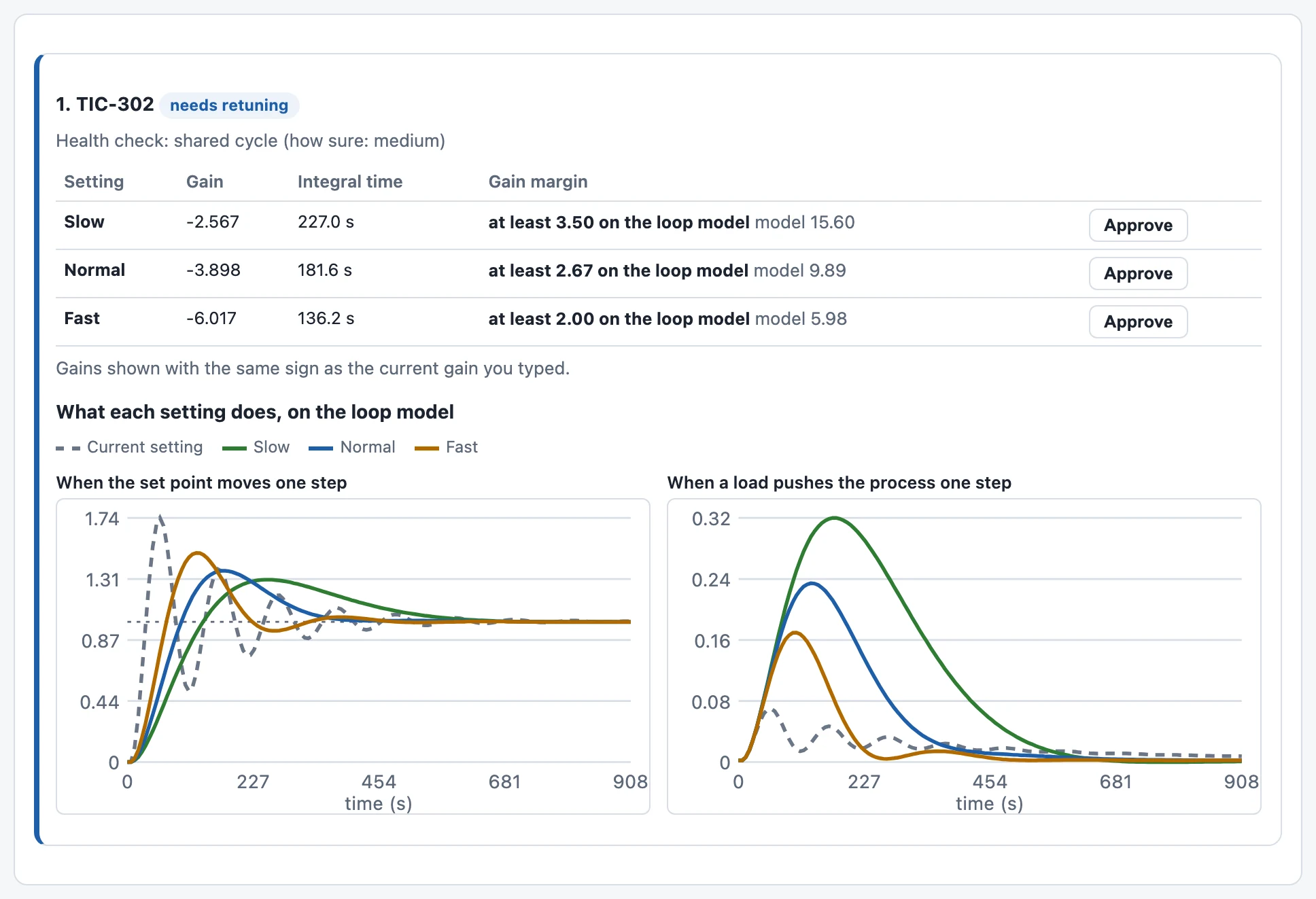
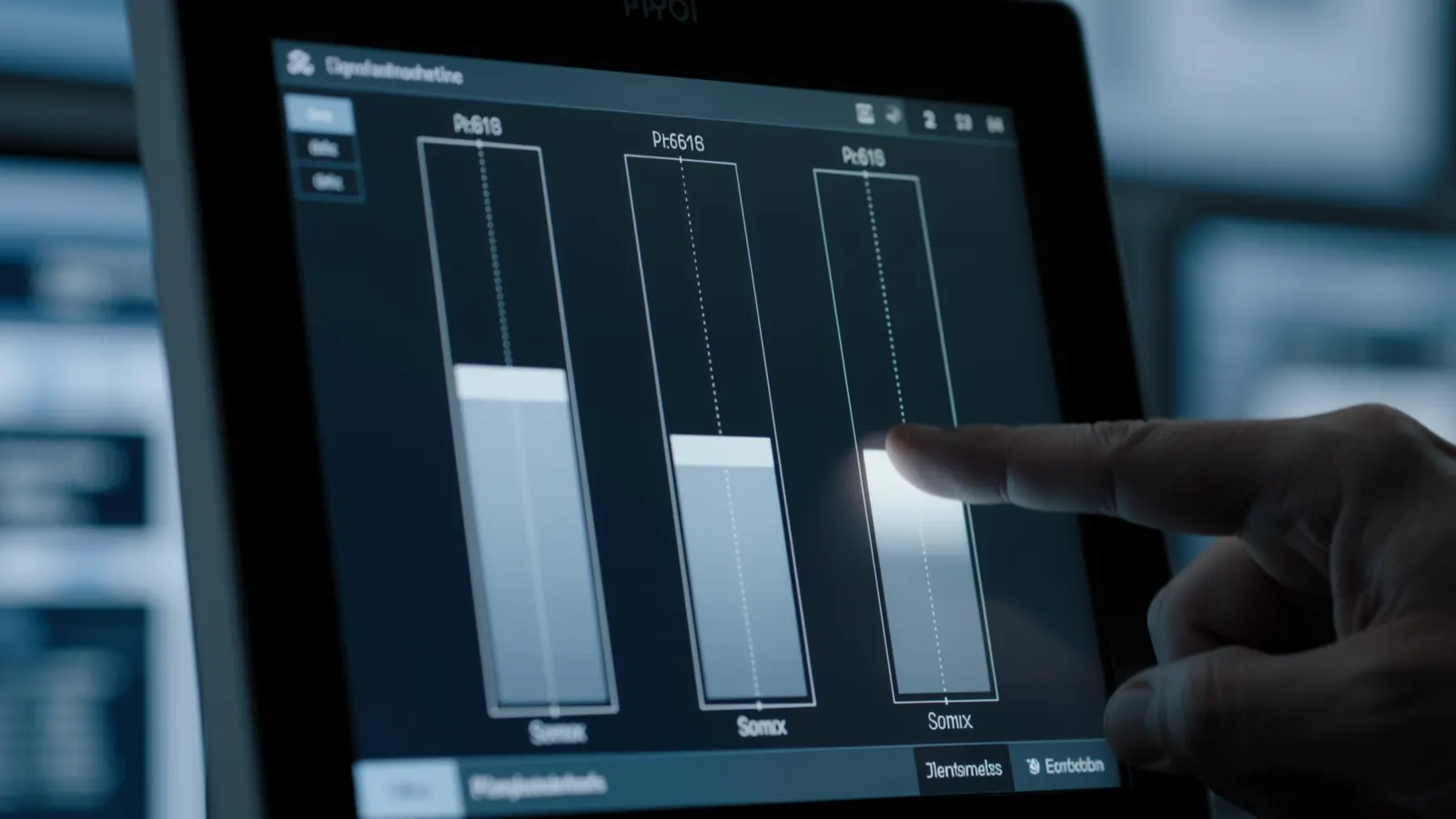
From a health check to settings you can enter.
CARI-Tune includes the CARI-Loops health check, taking your team from a ranked export to approved tuning settings. The health check grades every loop in your export; the loops that need retuning go straight in.
You send
- Trend export of the unit. Time, measurement, set point, controller output and mode for each loop, as CSV from your DCS, PLC, SCADA or historian.
- Current gain, integral time and action. Add them to compare with today; enter them before approval.
- Your cost of error. Optional; turns health order into money order.
- Valve stroke test result. Passed or not, run only on the loops graded for retuning.
- Short loop test file. Steady running, one small step of the controller output, then a few small moves each way. Twelve minutes in the worked example.
You receive
- One ranked table for the unit. Every loop with its grade and the reason in words.
- Three settings for each loop to retune. Gain, integral time and stated safety margin (gain margin).
- Two pictures for each of those loops. Predicted set-point and load responses, beside today's setting.
- A settings sheet in your system's style. Field names, units and action; CSV and a printable page.
- A sealed change history. Proposer, approver, old and new settings, and a record code.
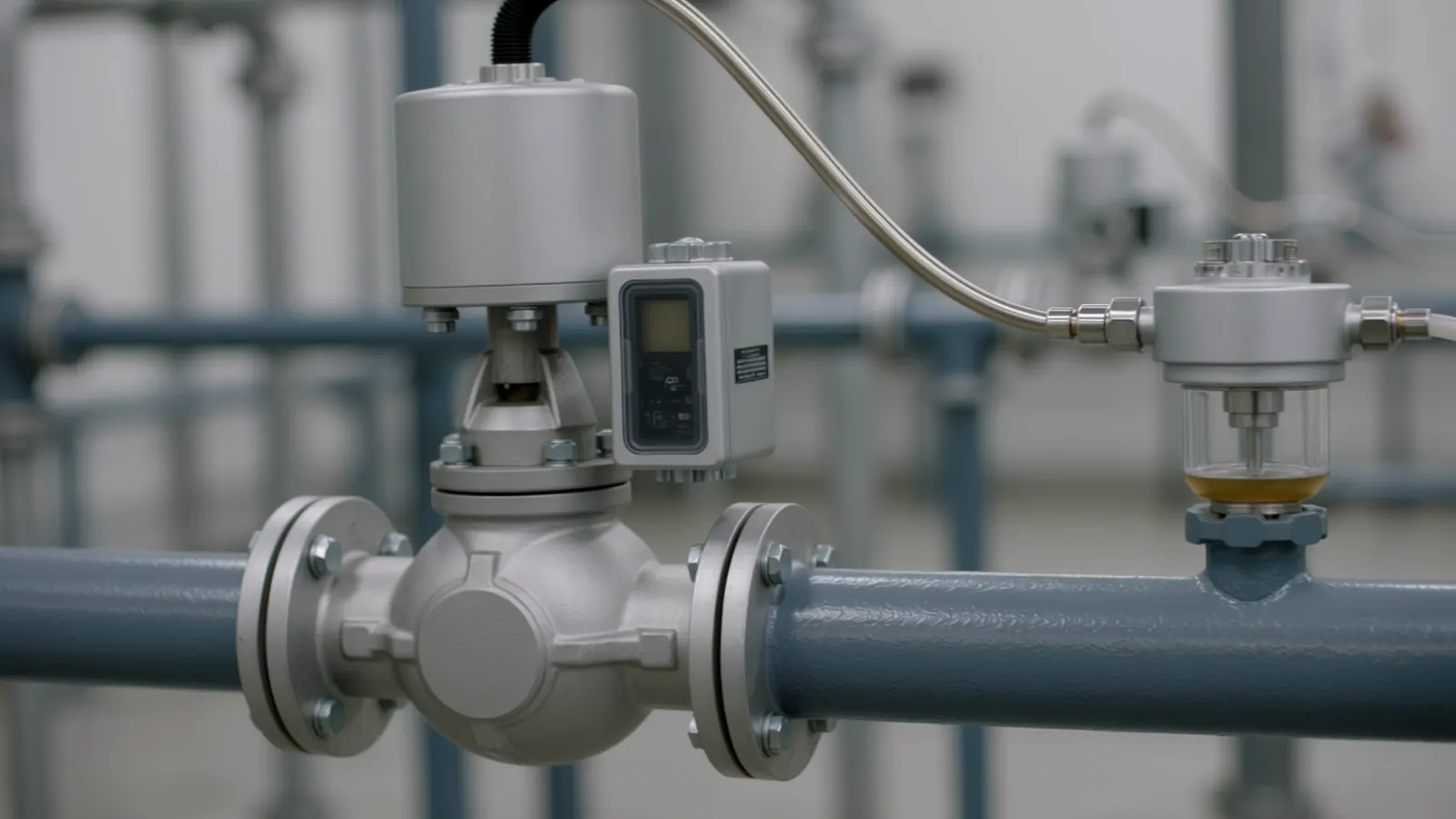
Check the valve. Then tune the loop.
A sticking valve needs valve work, not new settings. So CARI-Tune grades every loop first, and gives settings where the health check and the loop test point to the settings themselves.
Find the loop
The built-in health check names the loops that swing and grades the likely cause.
Check the valve
Your engineer runs a valve stroke test. A valve that fails is fixed first.
Short loop test
One small step of the controller output, then a few small moves each way, run by your engineer.
Three settings
Slow, normal and fast, drawn beside the setting you run today.
| Grade on screen | What you get |
|---|---|
| needs retuning | Three settings, two pictures, a settings sheet. |
| test the valve | No settings. A valve stroke test to run first. |
| instrument first | No settings. The transmitter to check. |
| no problem found | Left alone. Nothing to tune. |
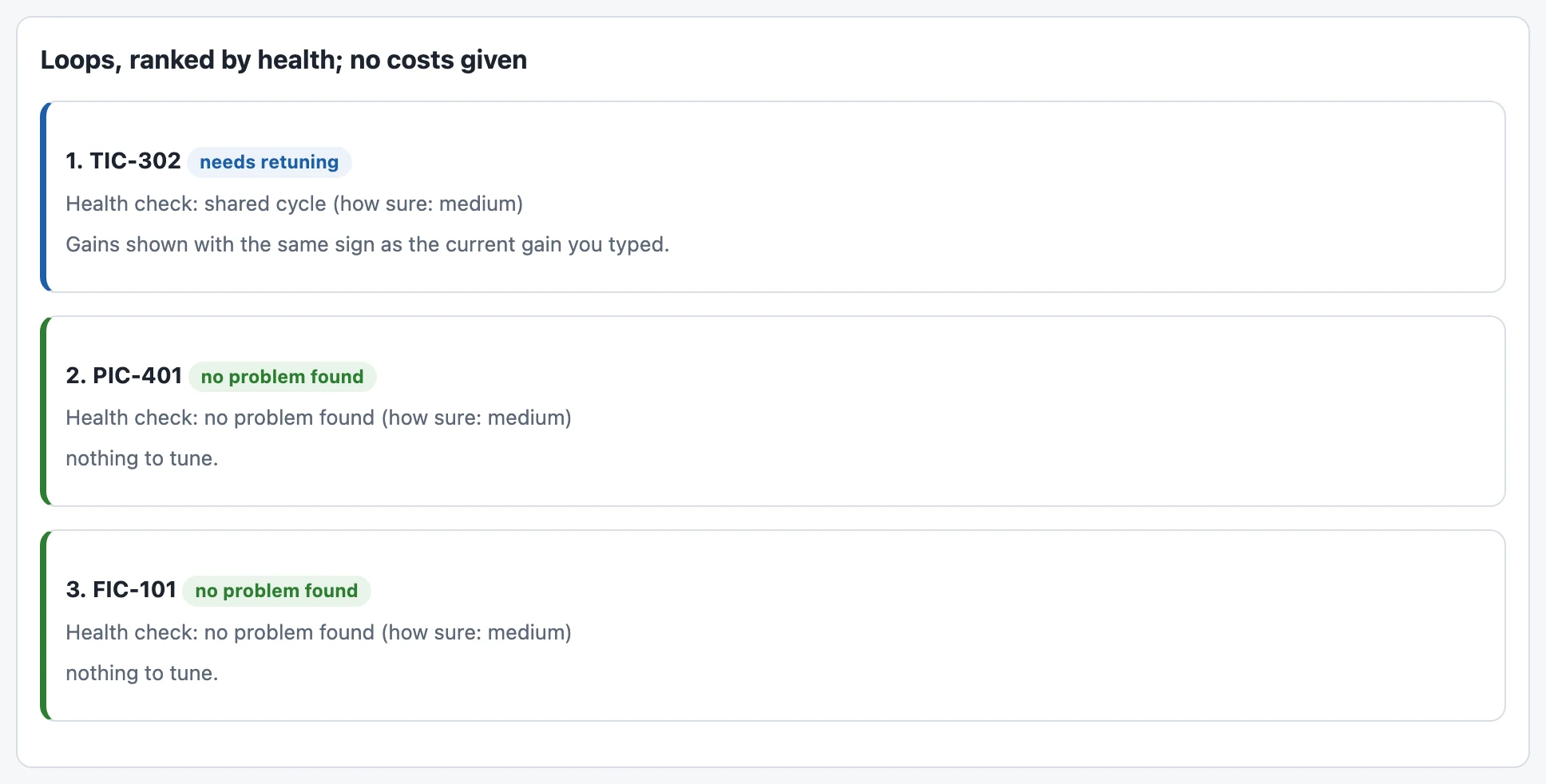
A reactor temperature loop that swings on every move.
The app opens with a worked example from a standard published test plant: a chemical process with reactor loops. Nine hours of routine record, a twelve-minute loop test run by the engineer, and three settings drawn next to today's.
The routine record
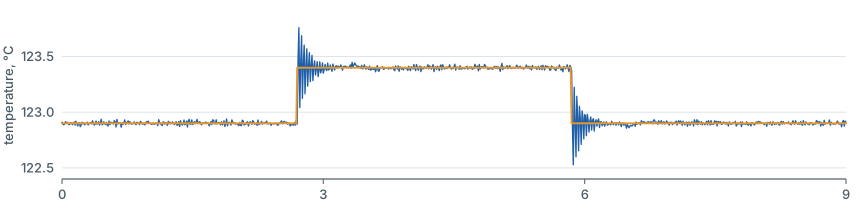

Temperature against its set point, and the controller output, one row every 9 seconds.
The short loop test
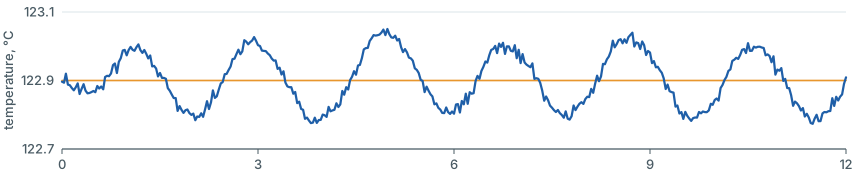

The controller output moved 2 percentage points each way; the temperature stayed within 0.2 °C of its starting value.
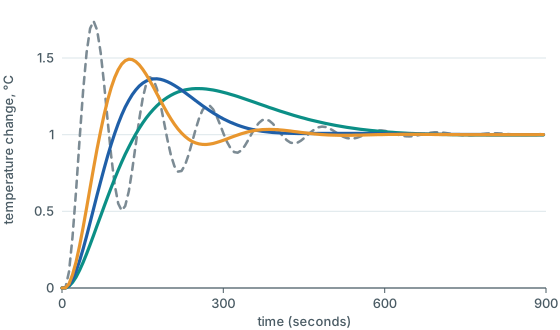
| Setting | Gain | Integral time | Safety margin | Set-point peak (1 °C step) | Settles within ± 5 % of the step |
|---|---|---|---|---|---|
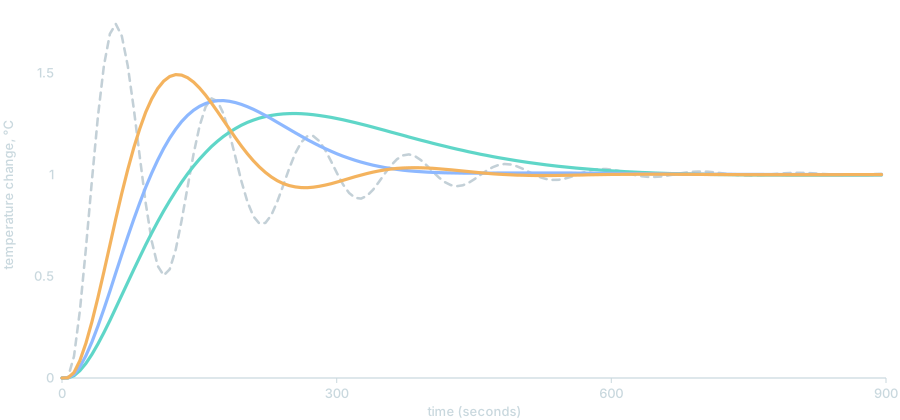
| Today | −24 | 450 s | not stated | 1.74 | 497 s |
| Slow | −2.57 | 227 s | at least 3.5× | 1.30 | 529 s |
| Normal | −3.90 | 182 s | at least 2.67× | 1.36 | 340 s |
| Fast | −6.02 | 136 s | at least 2× | 1.49 | 294 s |
Predicted temperature response to a 1 °C set-point step
Predicted response, °C, to a load step of 1 % at the process input
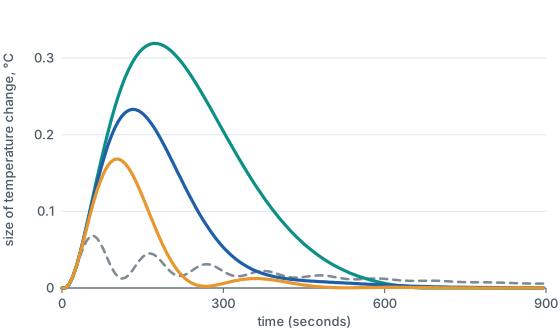
Safety margin here means gain margin: the factor by which the process gain can rise before the predicted response reaches steady cycling. In this example today's setting gives the smallest predicted load bump but swings after a set-point step. Slow gives the lowest peak; Fast gives the smallest load bump of the three new settings and settles soonest. Compare both pictures and choose what the loop needs.
The same setting, in your block's own words.
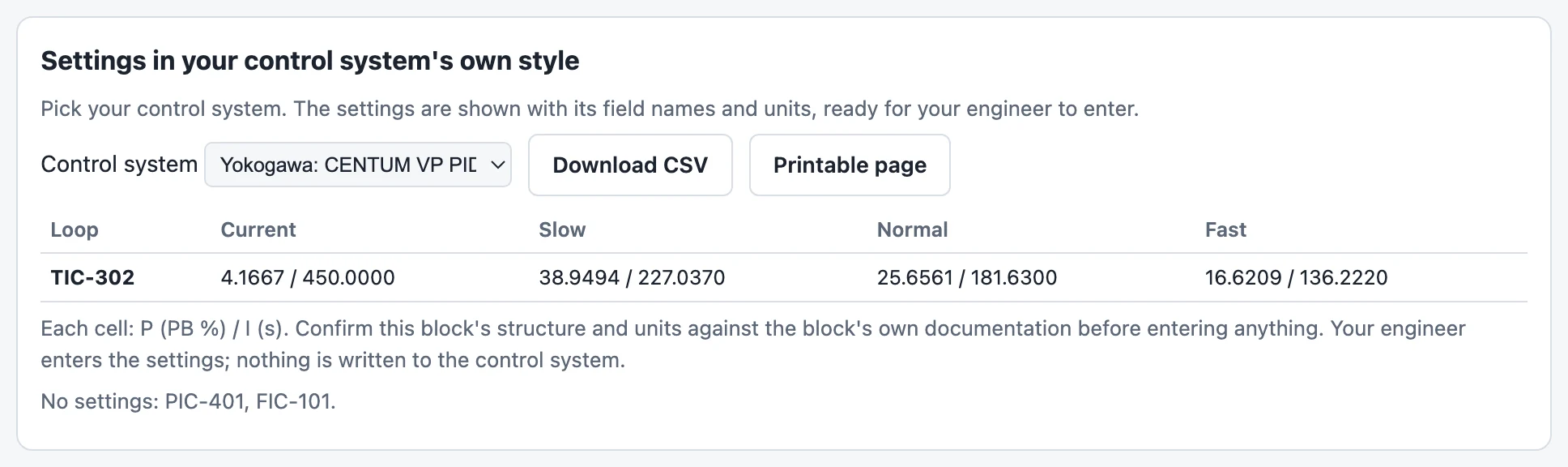
Pick your controller block. The sheet gives the gain or the proportional band, the integral setting in the block's own units, and the controller action, side by side. Nobody converts by hand at the panel.
| Settings-sheet style | Gain field | Integral field | Gain value | Integral value |
|---|---|---|---|---|
| Generic ISA / ideal textbook form | Kc | Ti (s/repeat) | 3.898 | 181.6 |
| Emerson DeltaV PID function block | GAIN | RESET (s/repeat) | 3.898 | 181.6 |
| Honeywell Experion / TDC PID | K (gain) | T1 (min/repeat) | 3.898 | 3.027 |
| Yokogawa CENTUM VP PID | P (PB %) | I (s) | 25.66 | 181.6 |
| Siemens PCS 7 CONT_C / PIDConL | GAIN | TI (s) | 3.898 | 181.6 |
| Rockwell Logix PIDE — Dependent gains | PGain | IGain (min/repeat) | 3.898 | 3.027 |
| Rockwell Logix PIDE — Independent gains | PGain (Kp) | IGain (Ki, 1/min) | 3.898 | 1.288 |
| Foxboro (Schneider) I/A Series PIDA | PBAND (%) | INT (min/repeat) | 25.66 | 3.027 |
| ABB 800xA PidCC / PidAdvanced | Gain | Ti (s) | 3.898 | 181.6 |
| Generic Reset-rate style (repeats/min) | Kc | Reset (repeats/min) | 3.898 | 0.3303 |
The Normal setting of the example loop, as the app writes it in each of the ten styles. On every sheet the controller action, direct or reverse, is its own column. A band is 100 divided by the gain, right for a span of 100 units; your engineer confirms the block's span, scaling and action.
Proposer, approver, and a code on the print.
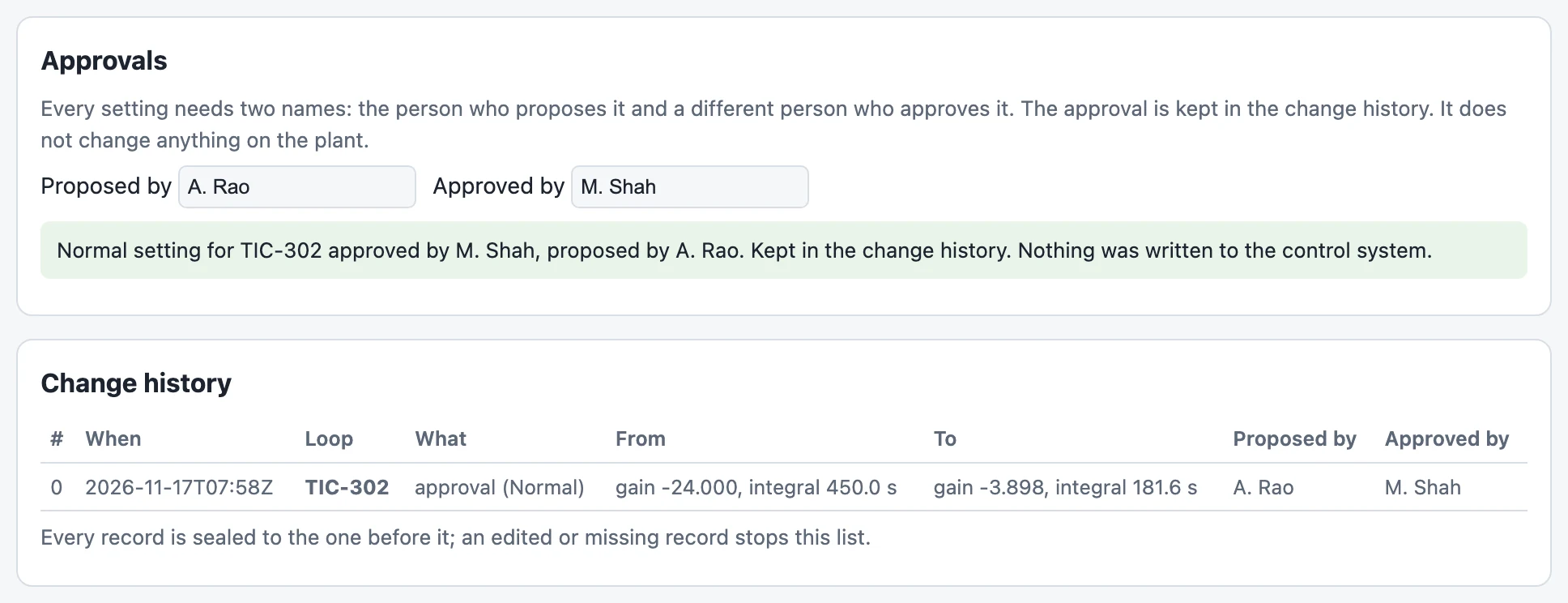
Tuning changes are small to type and large in effect. CARI-Tune treats each one as a controlled change: proposed by one person, approved by another, and kept in the change history.
Proposer and approver
Different proposer and approver names are required. CARIMO sets up sign-in and approval responsibilities with your team.
Sealed records
Every record is sealed to the one before it. CARI-Tune checks the chain each time it reads the history and reports a failed check.
A code on the print
The printed report records the length of the history and its last record code. Keep the signed report with your change records.
Check the change. Then keep checking.
After entry, your engineer checks the controller read-back and the loop trend. Then, once a month, add that month's readings: CARI-Tune compares each loop with its own reference months. After a retune, one button starts a fresh set.
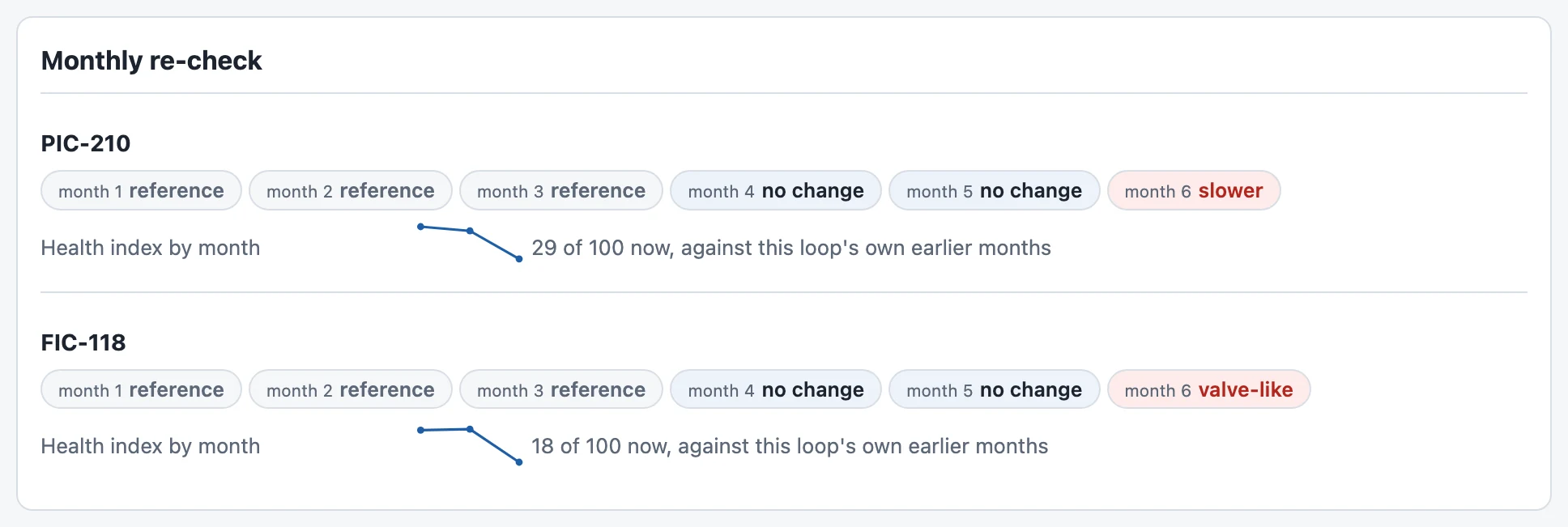
Two of our own test loops. Verdict words: better, no change, slower, valve-like, worse. Index 100 means as in the loop's own reference months; it is an index, not a percentage.

Before an advanced-control step test, each loop shows the issue found, or the words “nothing found in the routine record”.
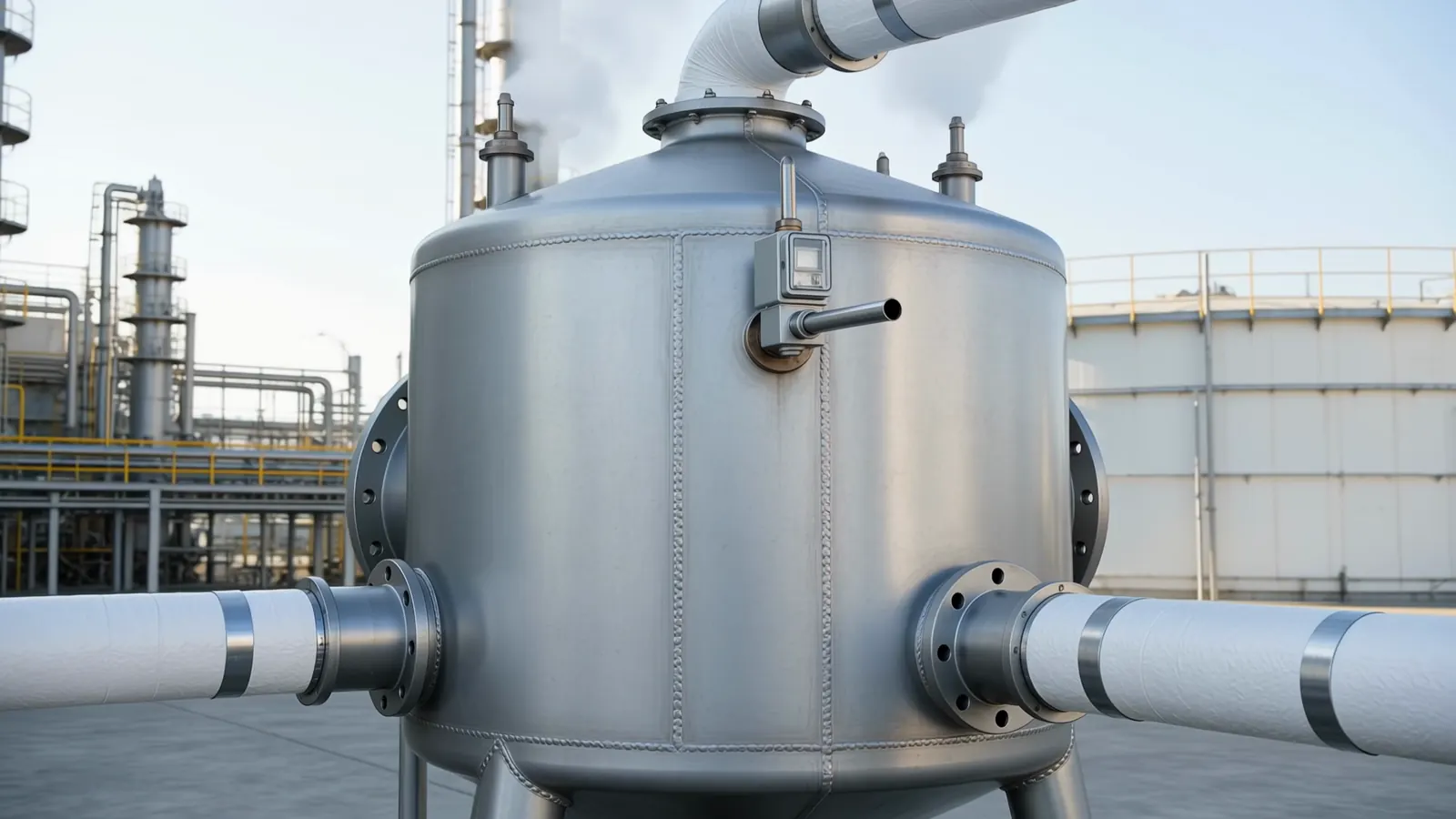
On your own PC. Under your own change procedure.
Where it runs
On your own PC, opened in a web browser. Your records stay on your PC. CARIMO sets up the app with your team and supports the first unit.
Entered by your engineer
CARI-Tune reads exported files and needs no link to the control system. Your engineer enters each approved setting from the sheet.
Loop types in the app
Flow, level, pressure, temperature, analysis, density, speed and weight. Direct and reverse acting. Whole units at once.
Writing an approved setting into the control system, and automatic retuning as the process drifts, are set up and tested with your team first.
Take it to your team.
Short summary
Two sides: the example, the steps and what you receive. PDF · 203 KB
OpenBrochure
Twelve pages: the full story, with the worked example and the app screens. PDF · 1.3 MB
OpenTechnical annexe
Eleven pages for your engineers: inputs, styles, history, re-check, the example in full. PDF · 880 KB
OpenShow us one loop. See three settings.
Start with one loop, or the trend export of a unit. We agree the export, the test plan and the first-loop review with your team.